Microsoft Teams
- Call2Teams Connectivity: Call2Teams acts as a middleware cloud service that connects Microsoft Teams to any Tel-Systems Hosted PBX phone system or SIP trunk provider in minutes without needing additional hardware.
- Communicator for Teams: This app brings full voice and SMS functionality directly into the Microsoft Teams environment, merging unified communications with team collaboration.
- Presence Syncing: Bicom offers a “Teams Presence Sync” feature that synchronizes a user’s Microsoft Teams status with their Communicator application status.
- Key Features: Users can make/receive calls via dial-pad, transfer calls to other MS Teams users, and use features like call recording and transcription, especially in the updated version 7.5 or higher.
Our latest Hosted PBX release includes the launch of full voice and SMS functionalities within Teams, AI-driven voicemail transcription, and the ability for call forwarding to change based on the app’s presence status.
Purpose
This integration synchronizes Microsoft Teams’ presence status with Tel-Systems client application (Communicator Desktop, Web App) extension’s presence status. For example, if users change their presence status to “Do Not Disturb” in Microsoft Teams, their presence status in the Communicator App will automatically change to “Do Not Disturb” as well.
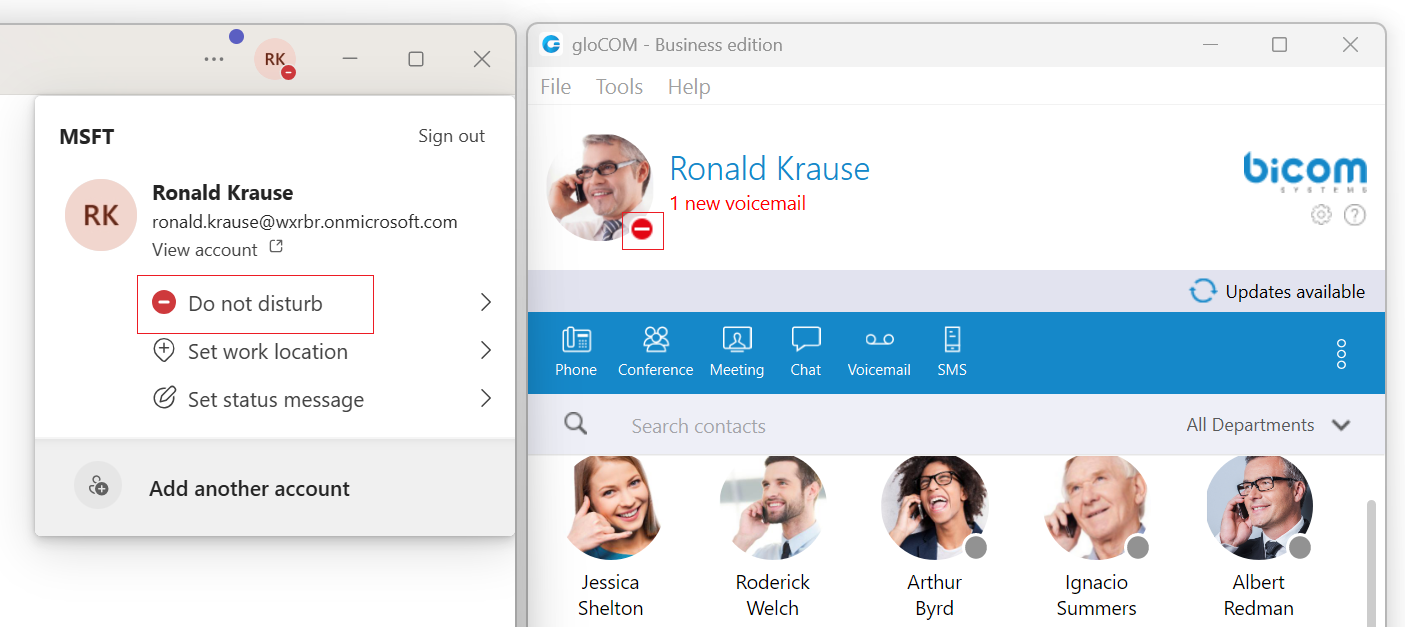
This synchronization only works from Microsoft Teams to Communicator APP. It is not bidirectional. Changes made to Communicator’s presence status, such as setting it to “Busy”, will not impact the presence status in Teams. However, there is an exception that applies only when the gloCOM Extension is on a call while Teams’ presence status is set to “Available” or “Busy”.
Consider the following two scenarios:
- Teams’ presence is not user-configured (it is set as “Available” or “Away” due to inactivity). A user makes a call via Communicator App. Their Communicator status icon changes to “On Call”. This will also reflect in the Teams app status and show the status as “Busy/In A Call”.
- Teams’ presence is user-configured (e.g., a user explicitly puts their status as “Be right back”). A user makes a call via Communicator App. Their Communicator status icon changes to “On Call”. This doesn’t reflect in the Teams app status since the user has manually configured their presence.
Microsoft’s Active Directory includes both a “User Principal Name” (UPN) and an email address. By default, these two values are the same, but they can be configured differently. For this integration, the UPN matches the PBXware extension’s email.
If two users on PBXware share the same email address, only one of them will be able to sync their presence with the Teams user who has the matching UPN.
Additionally, presence syncing is limited to a maximum of 650 users. If more than 650 Teams users correspond to PBXware extensions, it will not be clear which user’s presence will not be synced.
Start Your Free Hosted PBX Trial
Experience the reliability and flexibility of TEL-Systems Hosted PBX with a Free 14-Day Trial. Our team will help you find the right solution for your business communications needs.
Explore Related Communication Solutions
Microsoft Teams is often part of a larger communication strategy. TEL-Systems also provides Hosted PBX solutions and Cloud PBX systems for businesses that require advanced call handling, flexibility, and reliable voice services.
Start Your Free 14-Day Trial Here
Looking for a reliable Hosted PBX solution in Hamilton?
TEL-Systems provides fully owned and operated cloud PBX infrastructure with no reseller middlemen.
Why Choose TEL-Systems?
- Hosted PBX infrastructure owned and operated by TEL-Systems
- No reseller delays or third-party finger-pointing
- Local support for Toronto and GTA businesses
- Professional installation and training available
- Reliable cloud phone service with advanced features
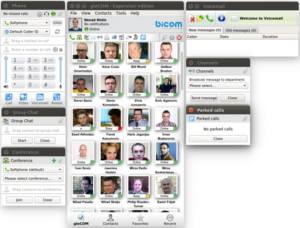
Hosted PBX Features Included
- HD Voice VoIP phones with multiple SIP device support
- Auto Attendant with dial by extension
- Voicemail and voicemail-to-email delivery
- Remote work capability for home or remote offices
- Softphone applications for PC, Mac, iPhone, and Android
- Direct Inward Dial (DID) phone numbers for each user
- Web-based call reporting and live call traffic monitoring
- Desktop call control from PC and mobile devices
- Mobile twinning to ring desk and cell phones at the same time
- Multi-party conferencing and conference bridge options
- Optional call center functionality (ACD)
- Optional 24×7 call recording
- 911 Basic 911 Service Terms and Conditions
Featured Calling Plan
- Unlimited Canada and USA calling
- Business call features included
- Flexible setup for office, hybrid, and remote teams
Internet Fax Service
- Receive faxes directly by email
- No fax machine required
- Reduce paper and toner usage
- Access fax documents anywhere with internet access
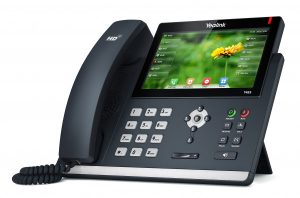
Yealink T48 SIP Phone
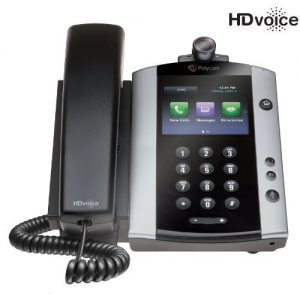
Polycom VVX 500 with Camera
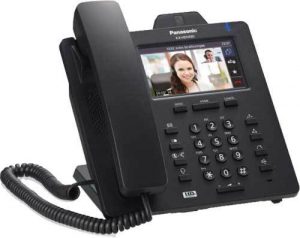
Panasonic KX-HDV430
Professional Installation and Support
Unlike many VoIP providers who simply ship phones and expect customers to install them on their own, TEL-Systems provides professional on-site installation and training.
Our certified technicians can come to your office, install the system, configure the phones, test all features, and train your staff to make sure everything works properly from day one.
Please note that hosted services are typically offered on a minimum 3-year term unless the customer chooses a shorter term, in which case applicable costs may apply. Contact our sales department for a free consultation and quote.
Hosted PBX Solutions
Panasonic HDV430 VoIP Phone
Hosted PBX Services Across the GTA
TEL-Systems provides cloud phone systems throughout the Greater Toronto Area including Toronto, Mississauga, Oakville, Brampton, Vaughan and Markham.
LIMITED-TIME ACTIVATION FEES DISCOUNT!
Call TEL-Systems today for a free consultation and learn how our Hosted PBX phone systems can improve your business communications.





TEL-Systems supports businesses throughout Hamilton with reliable Hosted PBX solutions tailored for growing companies.